
Build faster. Review smarter. Send directly into CRIO.
AI Studio Source Template Builder is CRIO’s eSource template builder for clinical research sites. Upload your study protocol and supporting documents, and Source Template Builder generates a structured eSource draft, including a visit schedule, procedure templates, and SOA logic. Your team reviews and refines the draft, then sends it directly into the CRIO Site App for further editing.
Existing CRIO user? Join the waitlist.

Step 01
Upload Study Documents

Step 02
AI eSource Builder Drafts the Build

Step 03
Review and Refine

Step 04
Send to CRIO
Why eSource Setup Takes So Long
Building an eSource template from a clinical trial protocol is time-consuming by nature. Coordinators and study startup teams review hundreds of pages to extract the Schedule of Assessments, manually configure procedures, and replicate the same setup work study after study.
That time adds up. Initial eSource builds can take many hours, and the process is largely the same each time. AI eSource Builder was built to automate the parts that don’t require human judgment, so your team can focus on the review and refinement that does. New to eSource? Learn how eSource works in clinical trials.
What Is CRIO AI eSource Builder?
CRIO AI Studio Source Template Builder is a cloud-based eSource template builder for clinical research sites. It reads a study protocol’s Schedule of Assessments and automatically generates an initial eSource draft, including a visit schedule, procedure templates, and a SOA checkbox grid.
AI Studio Source Template Builder is a standalone product that integrates with CRIO eSource. Builds are reviewed and refined in AI Studio Source Template Builder before being sent to CRIO, where study designers edit and finalize the template before it goes live. No patient data is ever processed. AI Studio Source Template Builder works exclusively with study design documents such as protocols and eCRF templates.

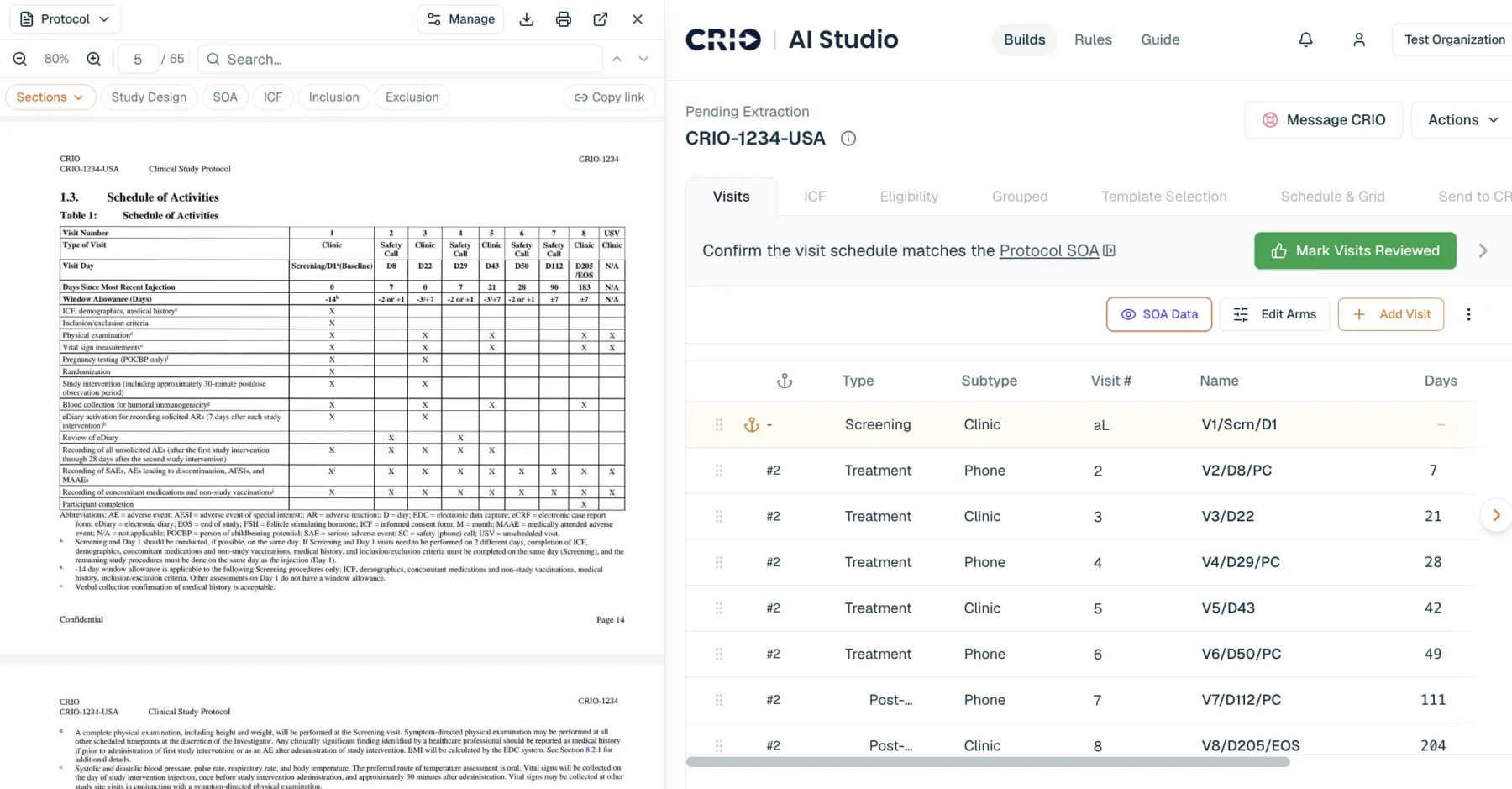
How AI eSource Builder Creates an eSource Template
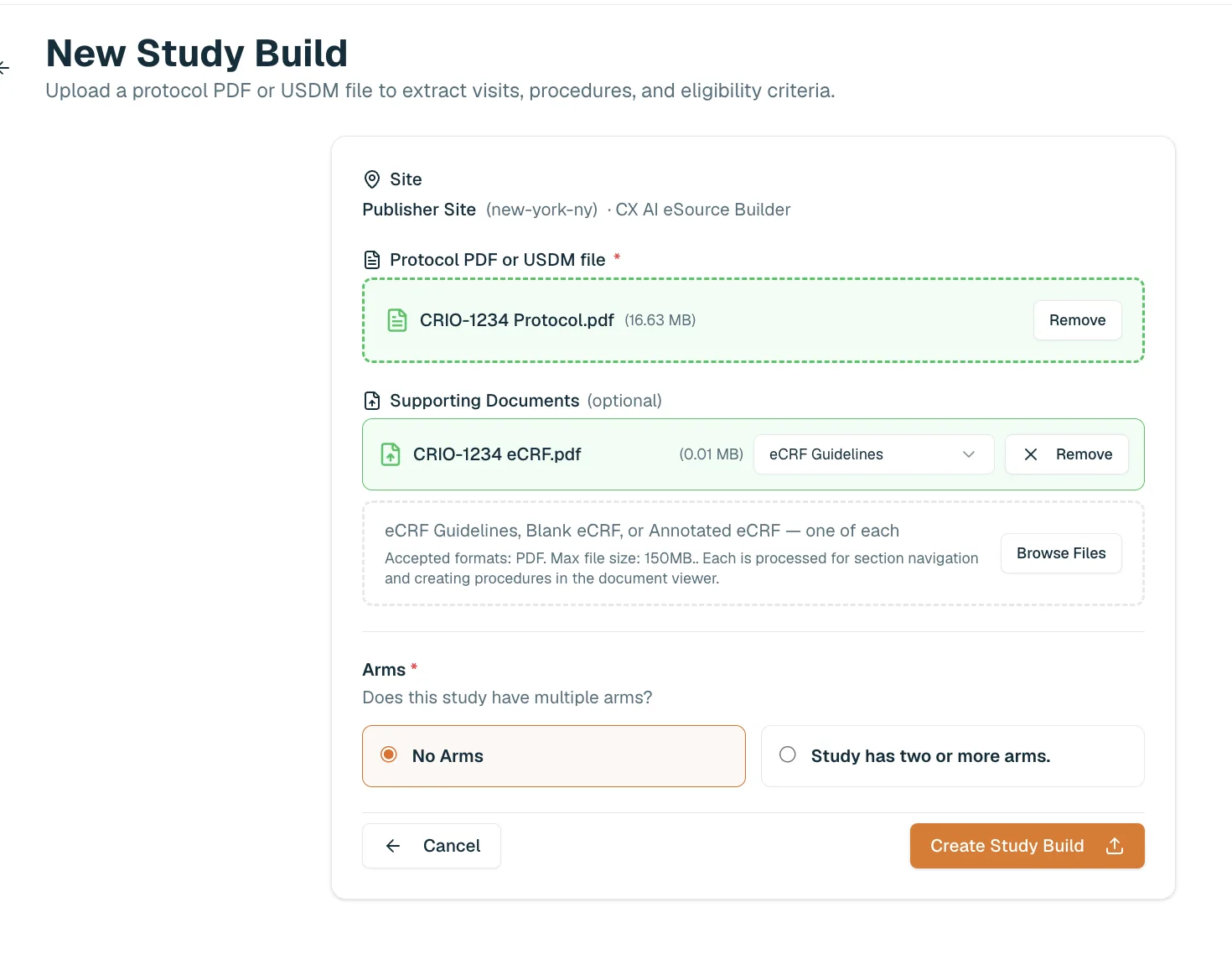
Step 01 — Upload Your Study Documents
Upload the protocol and eCRFs (blank, annotated or guidelines).
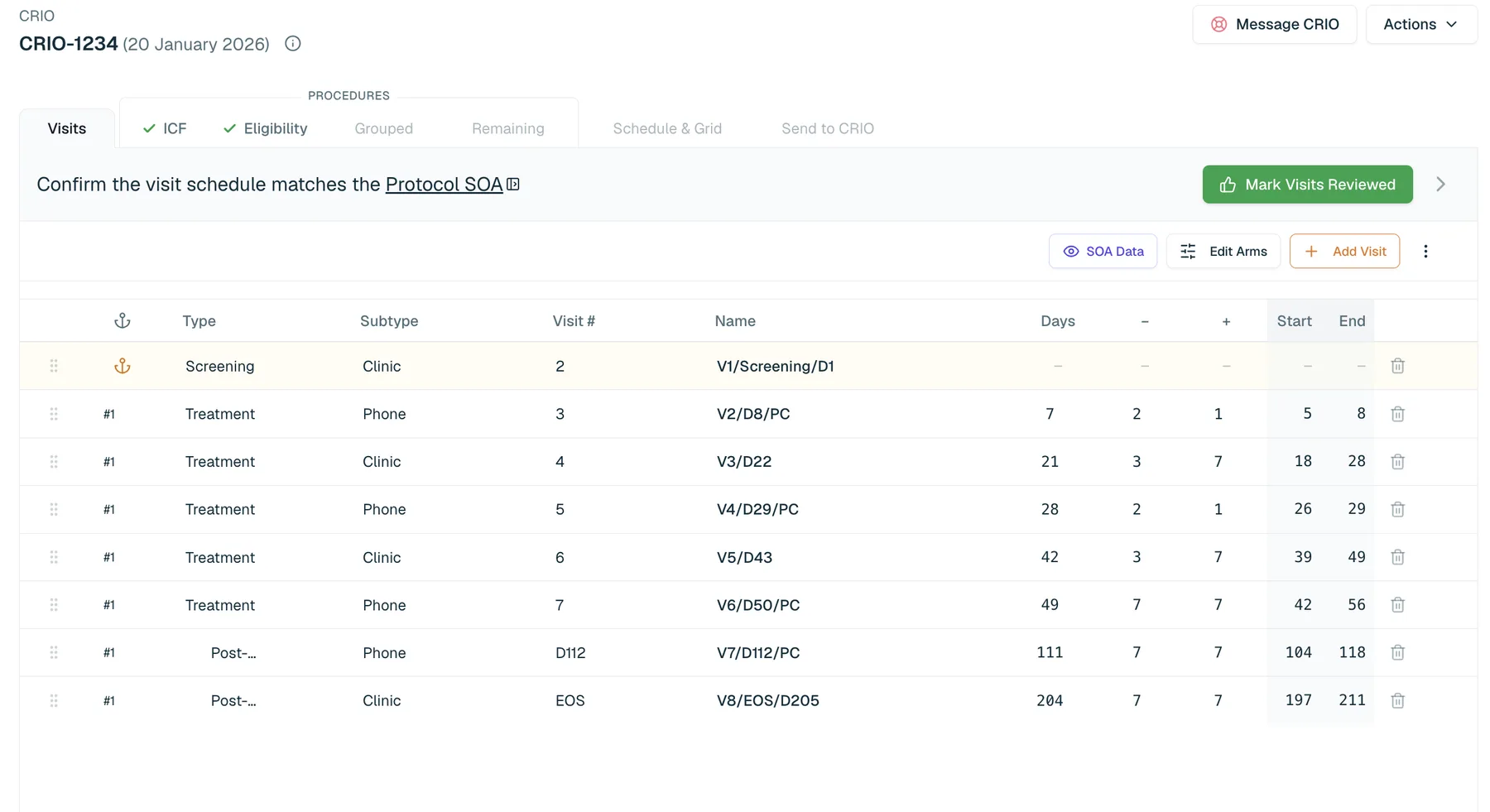
Step 02 — AI eSource Builder Generates the Draft
AI eSource Builder reads the Schedule of Assessments and assembles an initial eSource template using your organization’s procedure library and build rules. Visit schedules, procedure placements, and SOA logic are all generated automatically.
Step 03 — Your Team Reviews Side by Side
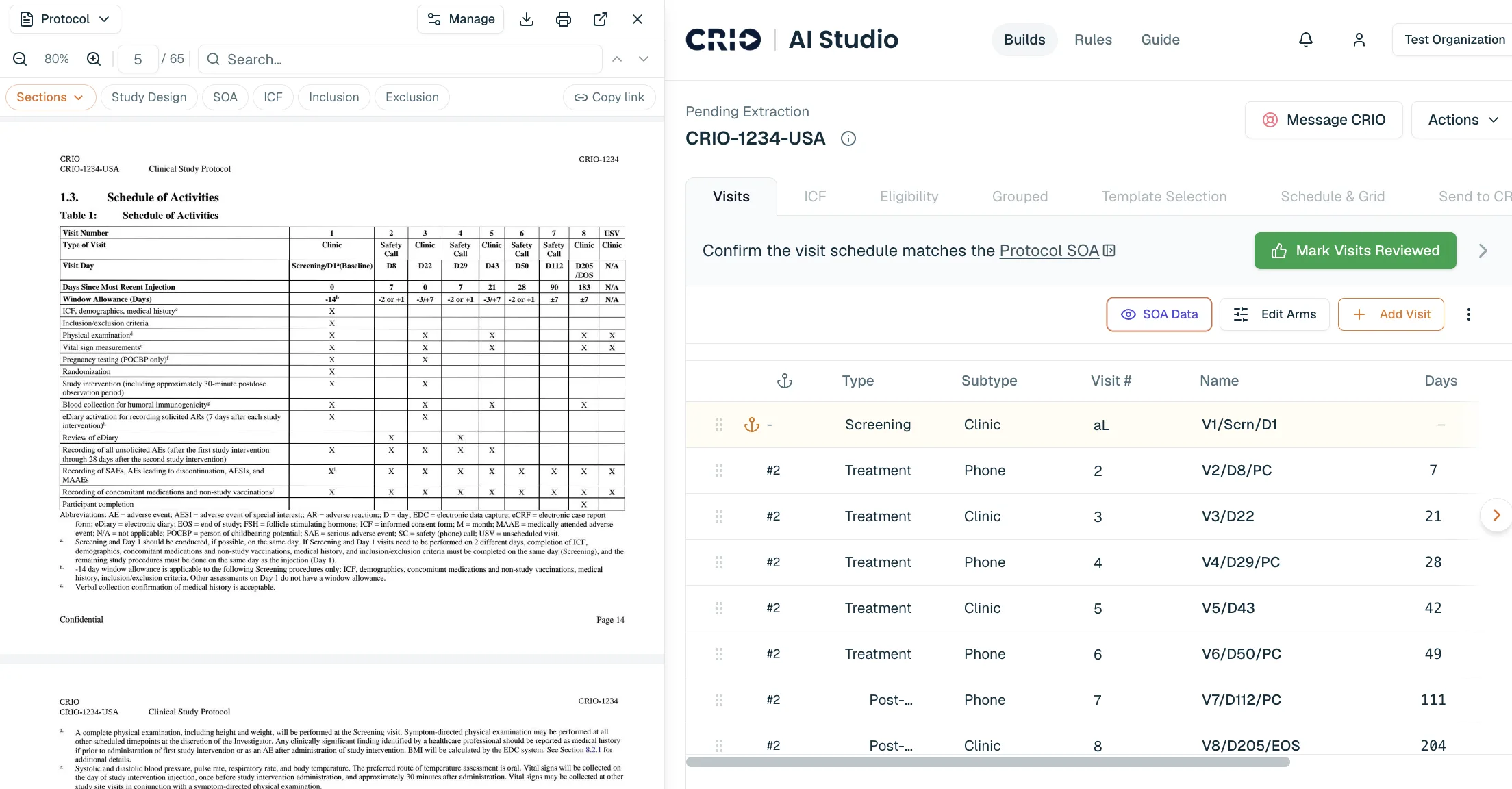
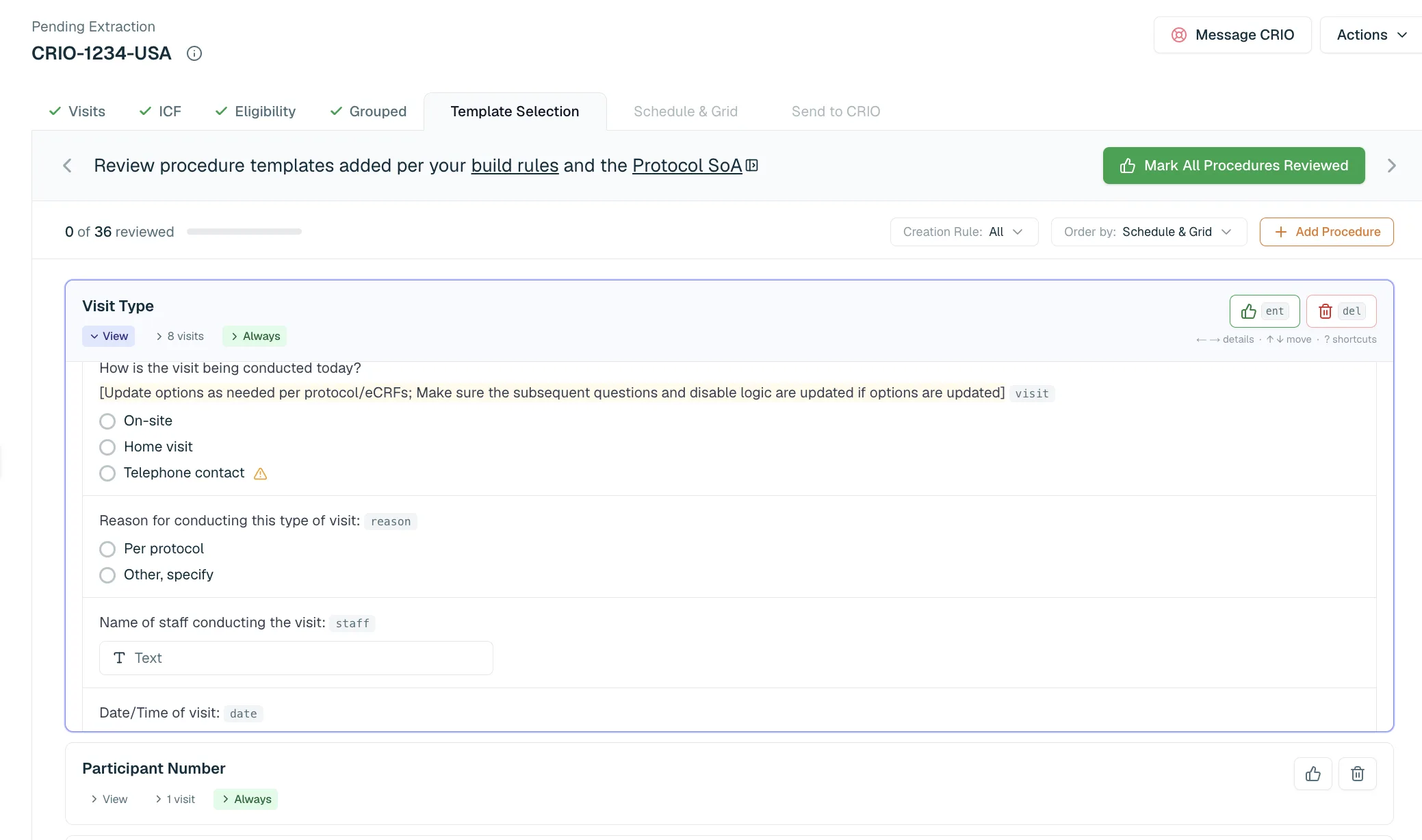
Review the draft tab by tab. Each tab links directly to the relevant section of your uploaded protocol, so visit review opens to the SOA, eligibility review opens to the inclusion/exclusion criteria, and so on. No manual document flipping.
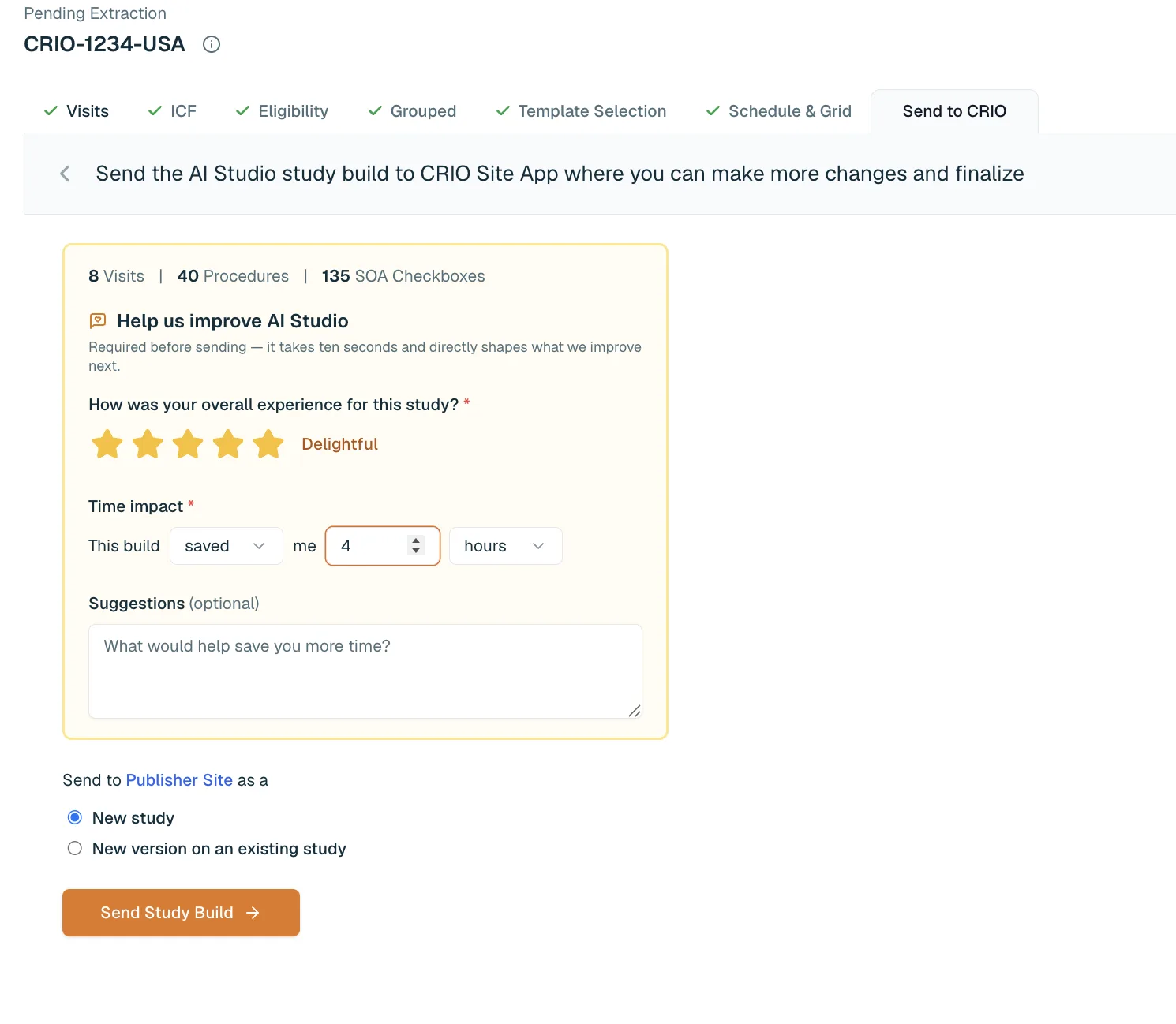
Step 04 — Send Directly Into CRIO
When review is complete, send the build to CRIO eSource for editing and finalization. Visits and procedures are created exactly as they appear in AI Studio eSource Builder.
Benefits of AI-Assisted eSource Building

Speed
AI eSource Builder handles the initial protocol review, SOA extraction, and template assembly automatically. Research sites in early pilots have seen eSource build times reduced by several hours per study.

Standardization
A single set of build rules applies across every study at your organization, blending CRIO best practices with your own configuration standards. Procedure placement, visit logic, and template selection are consistent from study to study.

Human Review at Every Step
Every draft is reviewed and approved by your team before it reaches CRIO. Side-by-side protocol viewing, inline editing, and per-procedure progress tracking keep quality and regulatory compliance in your hands.
AI eSource Builder Features
Side-by-Side Protocol Review
Each review tab in AI eSource Builder links directly to the relevant section of the uploaded protocol. Reviewing visits opens the SOA. Reviewing eligibility opens the inclusion/exclusion criteria. Reviewing informed consent opens the ICF instructions. This eliminates the manual back-and-forth between the protocol document and the eSource build.
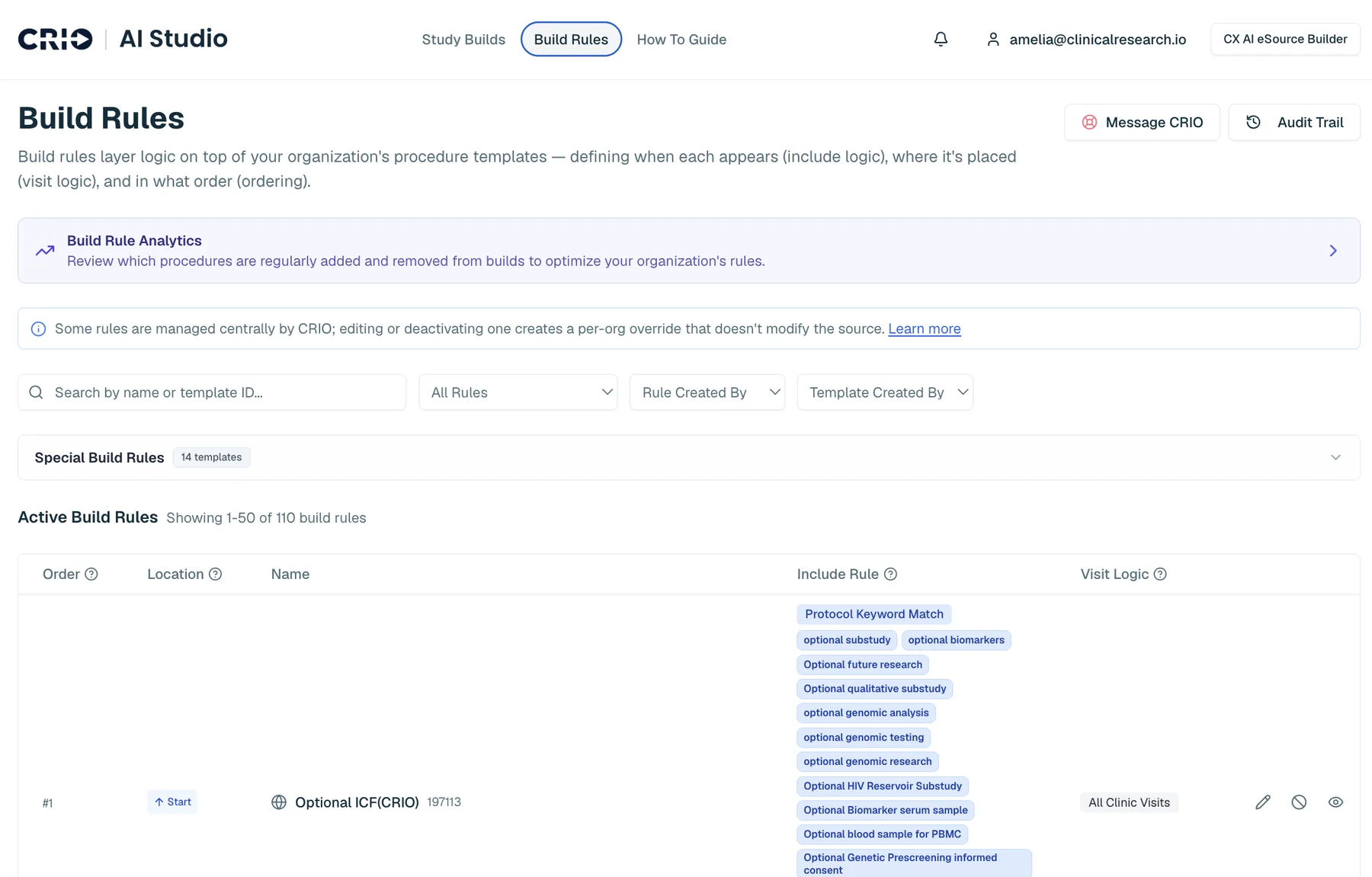
Organization-Level Build Rules
Admins configure procedure placement, visit logic, and template inclusion once. Those rules apply automatically to every study build. A full audit trail tracks every rule change.
CRIO Standard Rules
AI eSource Builder includes a curated set of eSource build rules developed from years of clinical trial implementations across the CRIO community. Organizations can use them as-is, adjust them, or layer custom rules on top.

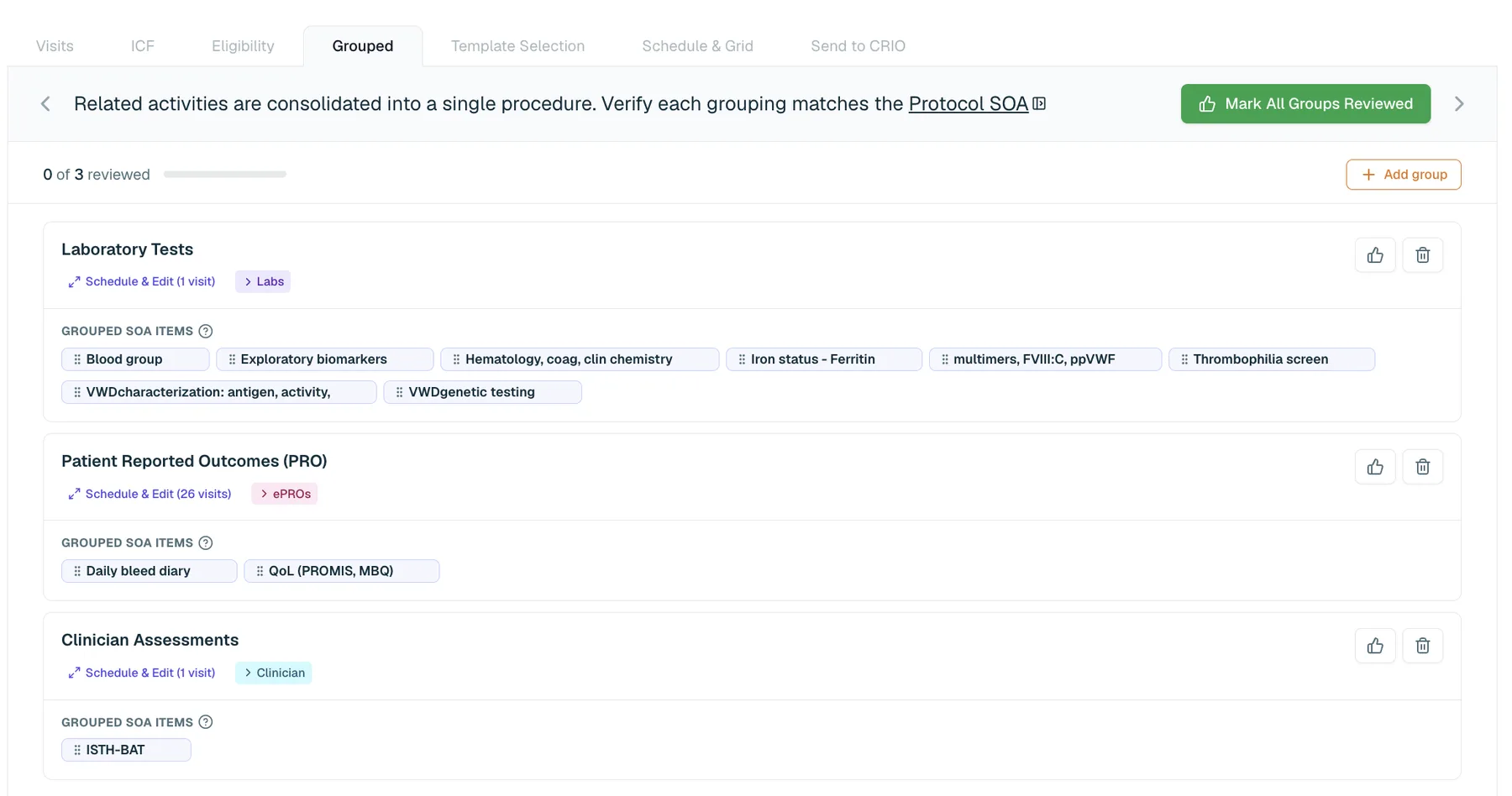
Automated Procedure Grouping
Laboratory tests, patient-reported outcome assessments, and clinician assessments are identified and consolidated automatically using AI classification. Per-visit logic is built in, so only the relevant items appear at each visit.
Synchronized Procedure Library
AI eSource Builder uses your organization’s existing procedure templates, synchronized from the CRIO App, as the source for every build. Your existing templates carry forward automatically.
eSource Data Security and Privacy
AI eSource Builder processes only study design documents. It never accesses, stores, or processes patient health information or ePHI, so HIPAA-covered data is not involved.
Documents are processed in a private, organization-scoped environment. Data from one organization is never accessible to another. All AI model usage is governed by enterprise agreements that include zero data retention for model training and minimum retention periods for processing.
IT teams can request full documentation including vendor data processing agreements and security architecture details.
What Sites Are Seeing
Frequently Asked Questions About AI eSource Builder
The AI eSource Builder is a standalone product used during study startup to build and review eSource templates before they go live. The CRIO App is where coordinators collect data during actual patient visits. AI Studio Source Template Builder generates the template; the Site App uses it.
You can upload the study protocol and eCRFs (blank, annotated or guidelines). We are working to support additional documents in the future, including lab manuals, and EKG manuals.
Yes. AI eSource Builder uses your organization’s procedure template library, synchronized from the CRIO App, as the source for every build. Your existing templates carry forward automatically.
No. AI eSource Builder processes only study design documents. Patient health information, ePHI, and subject-level data are never accessed, stored, or processed.
A Publisher site in CRIO is required to deliver builds from AI eSource Builder to your organization. If you are not currently using Publisher, we can set this up for you during AI eSource Builder onboarding. Setup is handled for you and there is no additional cost.
No. AI eSource Builder is a cloud-hosted web application accessed through a Chrome browser. There are no components, agents, or software to install on your network.