

By Mike Wenger
Building eSource is detailed work. Your coordinators and study startup teams are good at it. The problem is how much time it consumes before they ever get to the decisions that actually require their judgment.
Reading through a 200-page protocol to extract the Schedule of Assessments. Mapping each activity to a procedure template. Configuring visit logic, placement, and checkbox patterns across dozens of visits. Done carefully, it takes hours. Done quickly, it introduces errors that surface later.
We built the AI eSource Builder to handle that initial groundwork, so your team can spend their time reviewing and refining a draft rather than building one from scratch.
What AI eSource Builder Does
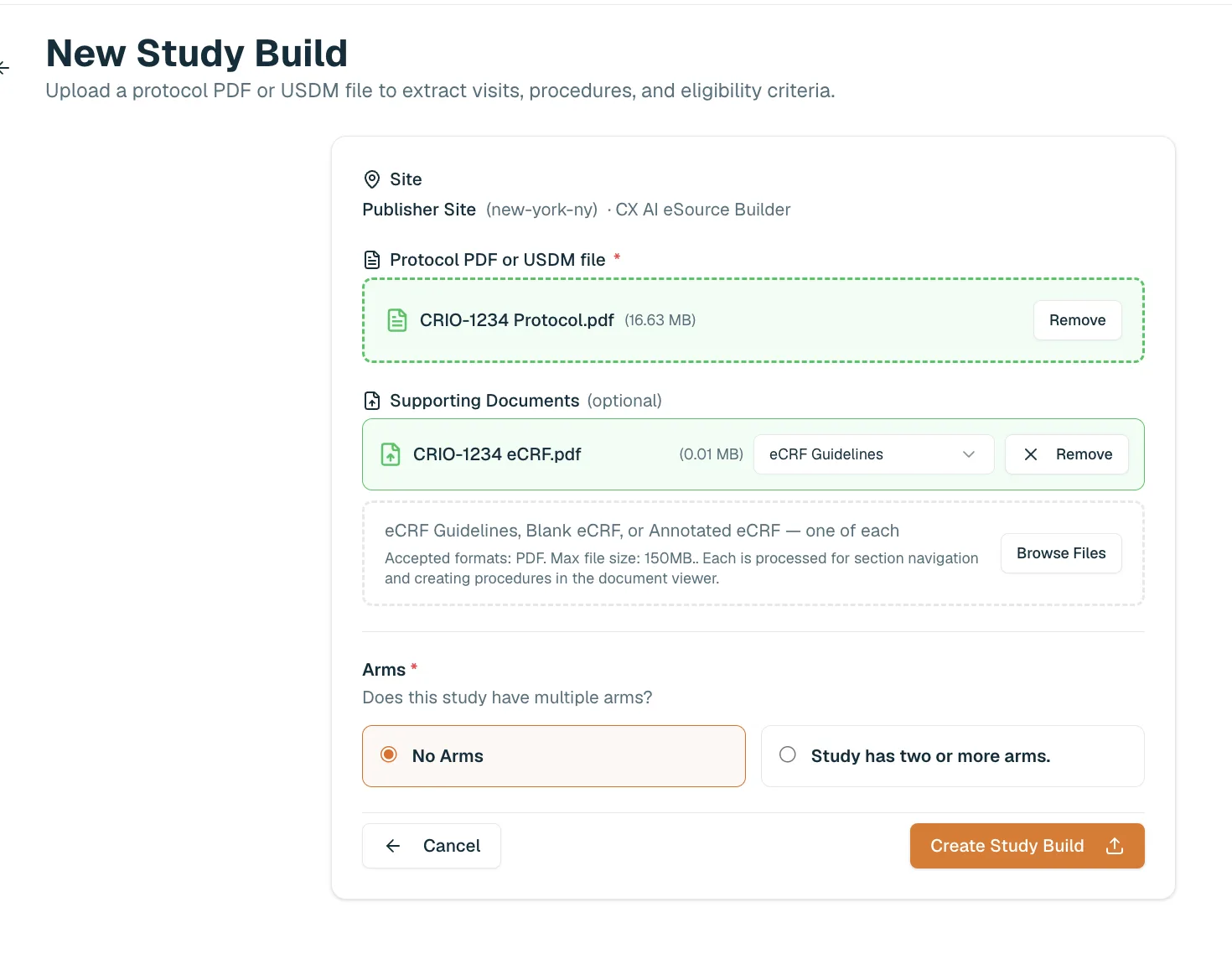
AI eSource Builder is a separate product that sits upstream of the CRIO App. Upload your study documents — the protocol and blank/annotated eCRFs or eCRF guidelines, — and the AI eSource Builder reads the Schedule of Assessments and generates an initial eSource draft automatically.
That draft includes a complete visit schedule with days and visit windows, procedure templates matched from your library (or CRIO’s standard library), visit logic applied based on your organization’s build rules, and eligibility criteria extracted and formatted as grid-style procedures. Procedures that couldn’t be matched to an existing template are flagged as placeholders so your team knows exactly what still needs to be built from scratch.
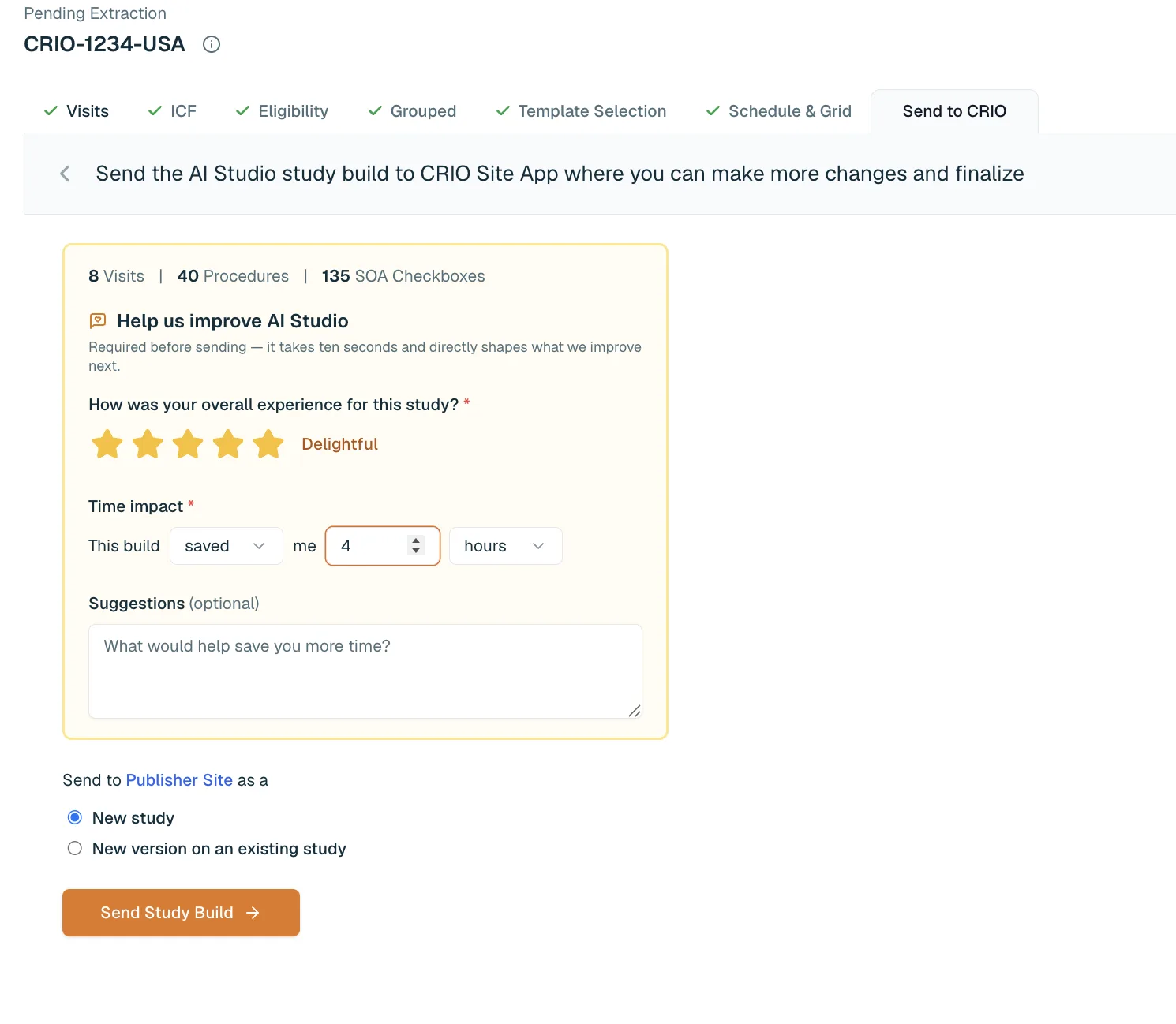
Once the AI eSource Builder creates the draft build, you review it tab by tab: visits, procedures, the SOA checkbox grid. When everything checks out, you send it directly to CRIO.
Three Things That Make It Worth Using
Speed. Initial pilot sites have reduced eSource build time 4 hours per study, and that number continues to improve. The time savings compound across a study portfolio.
Standardization. AI eSource Builder enforces your organization’s build rules consistently, every time. CRIO maintains a curated set of standard rules developed from years of eSource building experience across the CRIO community. Your organization can layer your own procedure templates and rules on top, and every build reflects both. Reduce variation between how different team members configure the same procedure.
Human in the loop. The generated build is a starting point, not a finished product. Every draft goes through your team before it reaches CRIO. The AI eSource Builder is designed to handle the repetitive configuration work, while your team focuses on the study specific and clinical judgment calls that can’t be automated. Study designers still edit, review and finalize every build in CRIO before it goes live.
How the Review Works
The review process is structured to match the order things need to be confirmed. Start with visits: verify that the visit schedule matches the protocol’s SOA, check visit subtypes, and look for any automatically separated visits (for imaging or procedures that require their own visit). Then move to procedures: confirm informed consent type, review extracted eligibility criteria, grouped procedures (labs, PROs, clinician assessments) and verify the template matches for each SOA activity. Finally, review the checkbox grid against the protocol to confirm visit logic was applied correctly.
One detail that makes this faster in practice: each review tab includes a link that opens the relevant section of the protocol in a side pane, directly alongside the build. On the Visits tab, it opens to the Schedule of Assessments. The ICF tab opens to the informed consent instructions. The Eligibility tab opens to the inclusion and exclusion criteria. The review happens side by side, without flipping back and forth between documents. For a protocol you are not yet intimately familiar with, that context is available immediately, right where you need it.
Each tab also includes a thumbs-up marker so you can track what’s been reviewed. Once everything checks out, you send the build to CRIO, either as a new study or as a new version of an existing one.
Document Companion
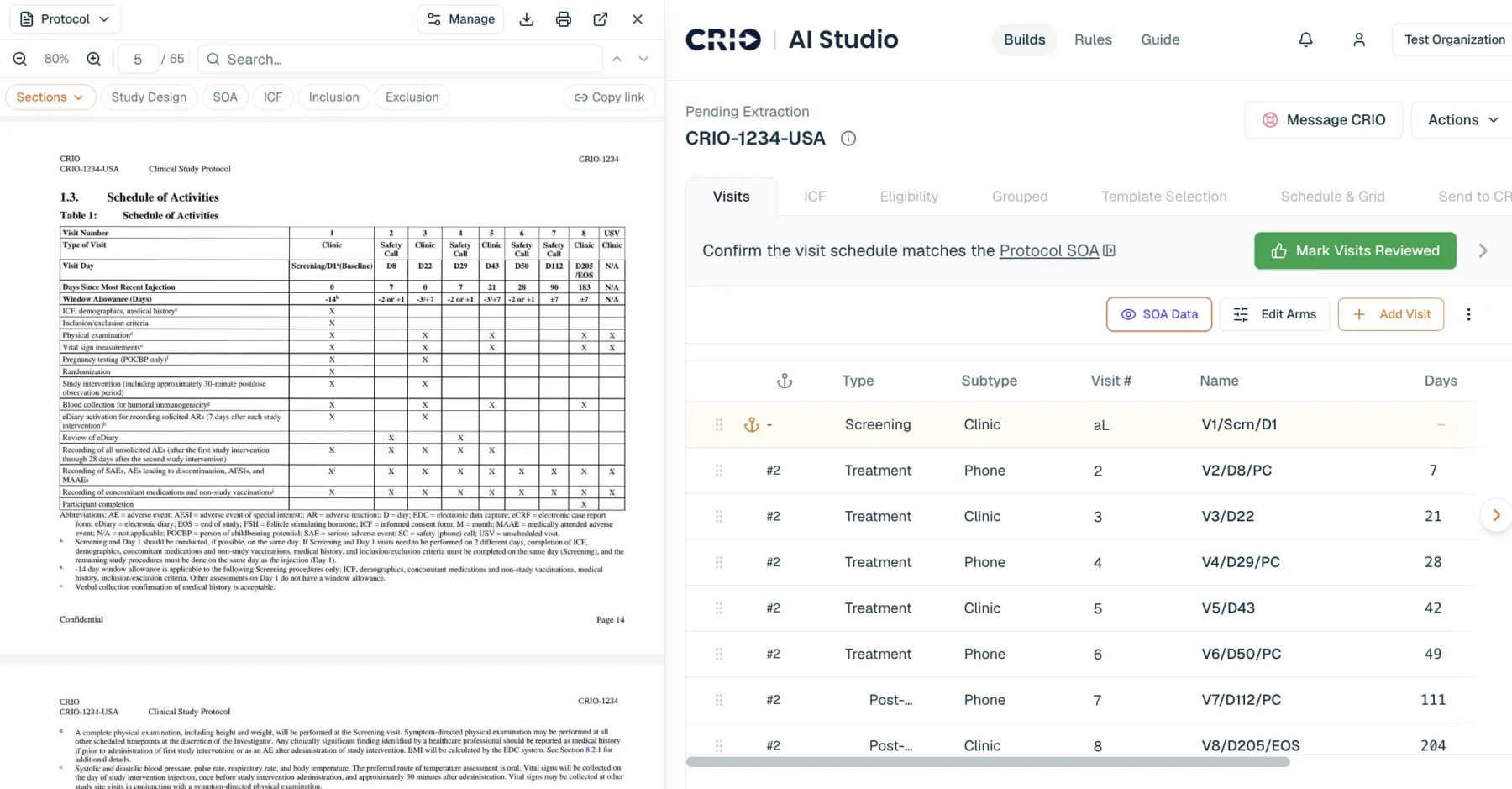
Most tools let you open a protocol next to your work. Document Companion connects them. It bookmarks the passages AI eSource Builder pulled from, so the sections that matter, the Schedule of Assessments, the consent instructions, the inclusion and exclusion criteria, are one click away. Search runs across every document you uploaded, protocol, eCRF guidelines, and more, so you can compare what one says against the other without losing your place. Highlight text to mark your progress, or highlight a block and turn it into a procedure template on the spot. Open Document Companion in its own window, or dock it beside the build.
What It Takes to Get Started
If you’re not already using CRIO, schedule a demo to learn more.
For existing CRIO users, join our waitlist! We’ll reach out as soon as it is your turn to get started. AI eSource Builder requires a Publisher site. The Publisher workflow is how the AI-generated build template gets delivered to your organization as a locked version ready for study designer review. If you’re not currently using Publisher, there’s no additional cost. Beyond enabling AI eSource Builder, Publisher brings its own benefits: version tracking, a structured review workflow, and centralized source design.